
Carol Azevedo
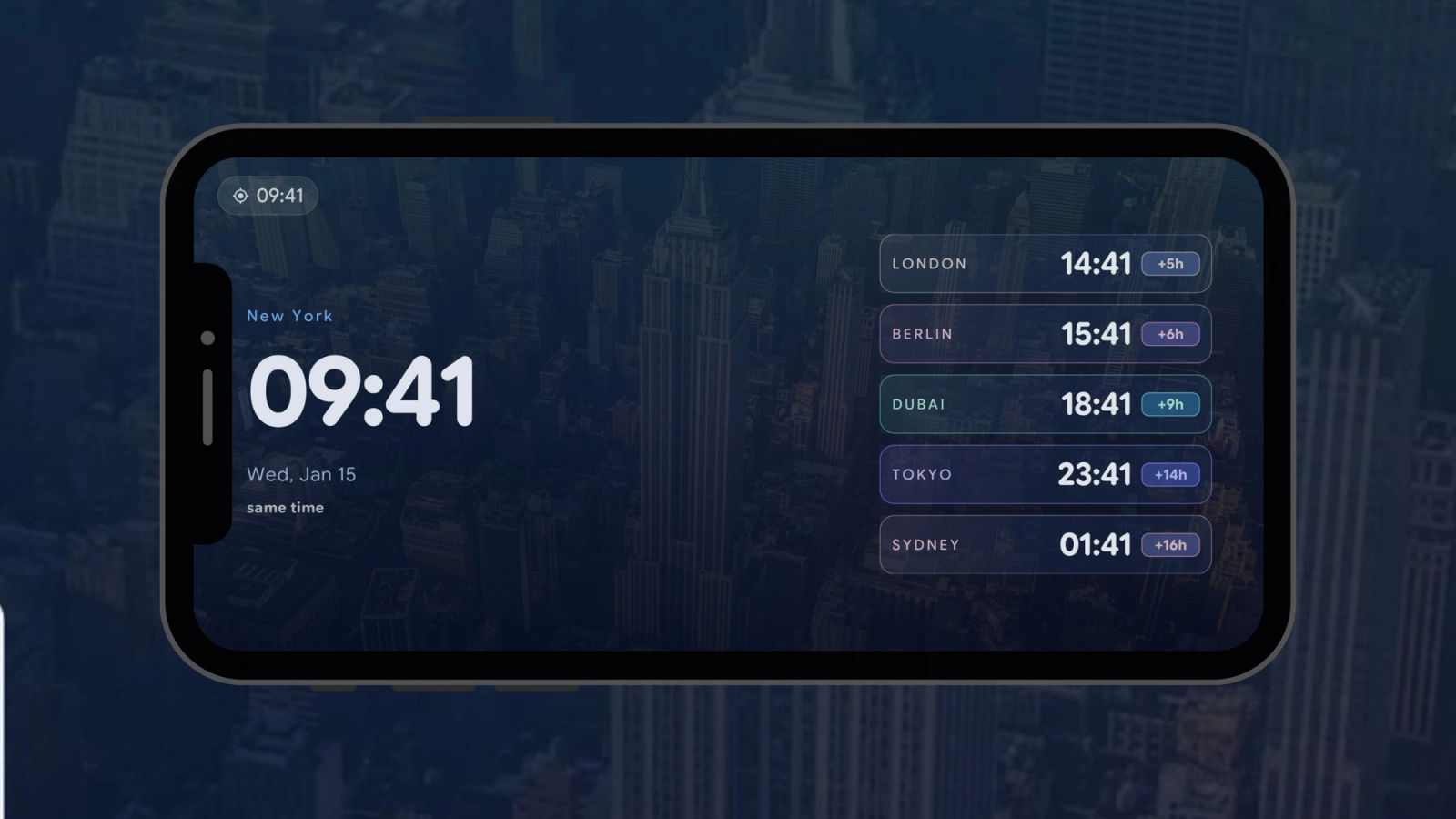
Stop doing time-zone math before every call. StandBy Mode's World Clock widget keeps five cities on your phone, each labeled with the time gap.
If your team spans São Paulo, Berlin, or US (or anywhere actually), you do time-zone math a dozen times a day, and sometimes you get it wrong. The World Clock widget keeps up to five cities on screen next to your monitor, each labeled "3h ahead" or "2h behind", so the answer is just there.
World Clock is a widget in StandBy Mode Pro that keeps up to five time zones on screen while your phone charges on a stand.
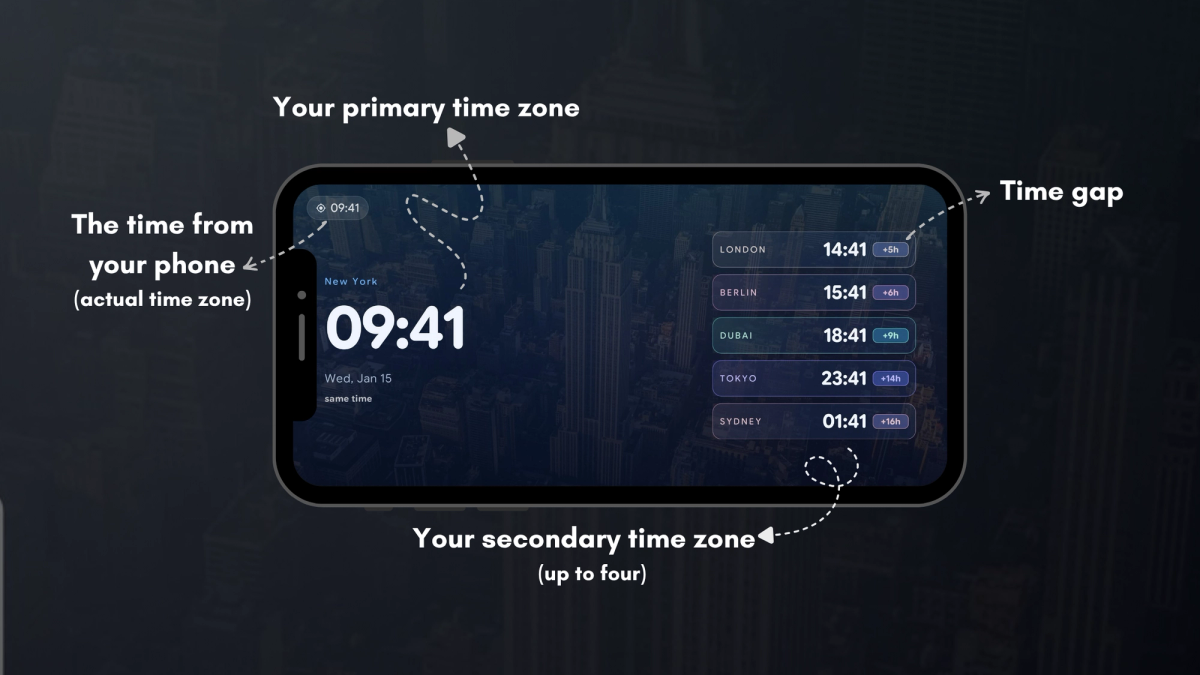
In the widget's Cities tab, add up to five entries. Each city gets a display name of your choosing (name them after teammates, like "Ana · Lisbon", instead of capitals if that's how you think), a timezone from the searchable picker, and optionally a custom image.
Alongside each city you'll see the offset relative to home: ahead, behind, or same time. A world map with a live day/night line shows who is in daylight and who is asleep before you even read the numbers.
The Fonts tab styles the primary time and secondary info independently. In Options, the AMOLED mode (Premium) turns the background fully off in idle. That's ideal if the phone sits beside you all workday on an OLED screen. There's also a Duo variant, so World Clock can share the screen with your Schedule or a Pomodoro timer.
Remote workers with distributed teammates, freelancers with overseas clients, families spread across continents, and anyone who has ever pinged a colleague at 6 a.m. their time by accident. Five labeled clocks beat one mental spreadsheet. New to the app? Our guide to StandBy Mode on Android covers everything else the app can do.
Retire the time-zone math before your next call. StandBy Mode Pro is free on Google Play.
Hey, it's Carol here. I run StandBy Mode's socials and support. If five cities isn't enough for your team, or you'd like another tweak to World Clock, tell us on UserJot, or drop a comment or an email at support@zetabitapps.com. I read every one.

Carol here! I manage Support and Marketing in the StandBy Mode App for more than a year now. I love talking about the app with people, because I enjoy tech, experiments and I've watched the app grow since the begining, back when Wesley (our dev/founder) and I were just friends (now we're also neighbours, gymbros and co-workers). Feel free to talk to me about the app or maybe some tips on what to do if you come to Brazil 🇧🇷



