
Carol Azevedo
An AMOLED clock keeps your screen pure black, so it draws less power and less light at night. Meet the new one in StandBy Mode. Free.
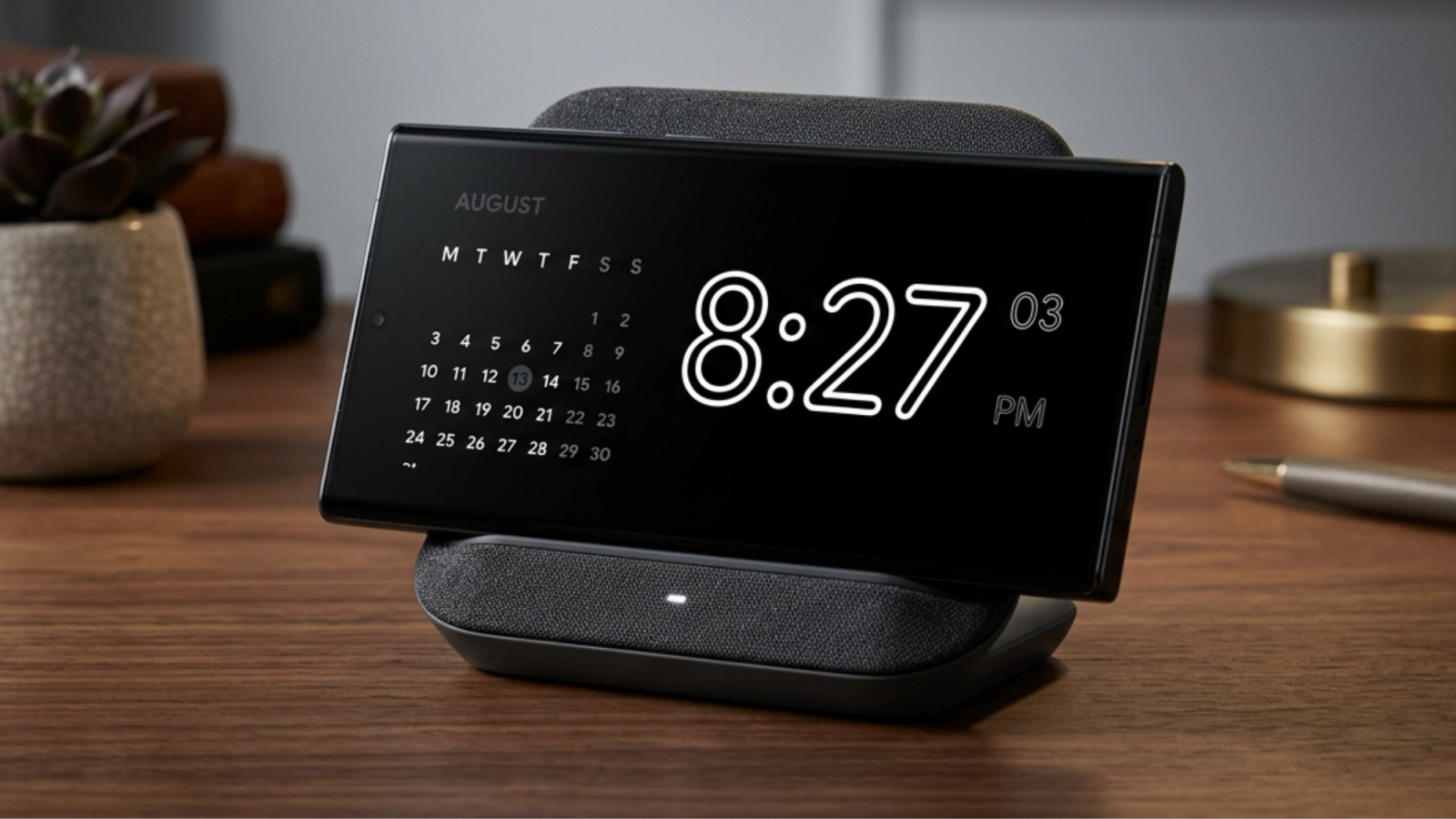
Hello, everyone! You asked for this one a lot, and it just landed. The AMOLED Clock is now in StandBy Mode, free for everyone.
An AMOLED clock is a clock face drawn in pure black, so the unused pixels on an OLED screen switch off completely instead of glowing. Fewer lit pixels means less power drawn while your phone charges, and less light spilling into a dark room.
Here's a quick look at it in action:
Every pixel on an OLED panel makes its own light. Show white, and the pixel runs at full power. Show true black, and it switches off entirely. That's why a clock face on a black background behaves differently from one on dark grey, even though the two look nearly identical to your eye.
Two things follow from that. Your screen sips less power sitting on the charger overnight. And with fewer pixels lit, less light bleeds into a dark bedroom. The digits float, and everything else disappears.
This applies to any phone with an OLED panel, which covers most Samsung Galaxy, Pixel, OnePlus and Motorola devices from the last few years. If yours has an LCD instead, the clock still looks great, you just won't see the power difference, because LCD backlights stay on no matter what's on screen.
The AMOLED Clock is a Duo widget, so it shares the screen with something else. That's the whole idea: a clean, unmistakable time readout on one side, and whatever you need on the other.
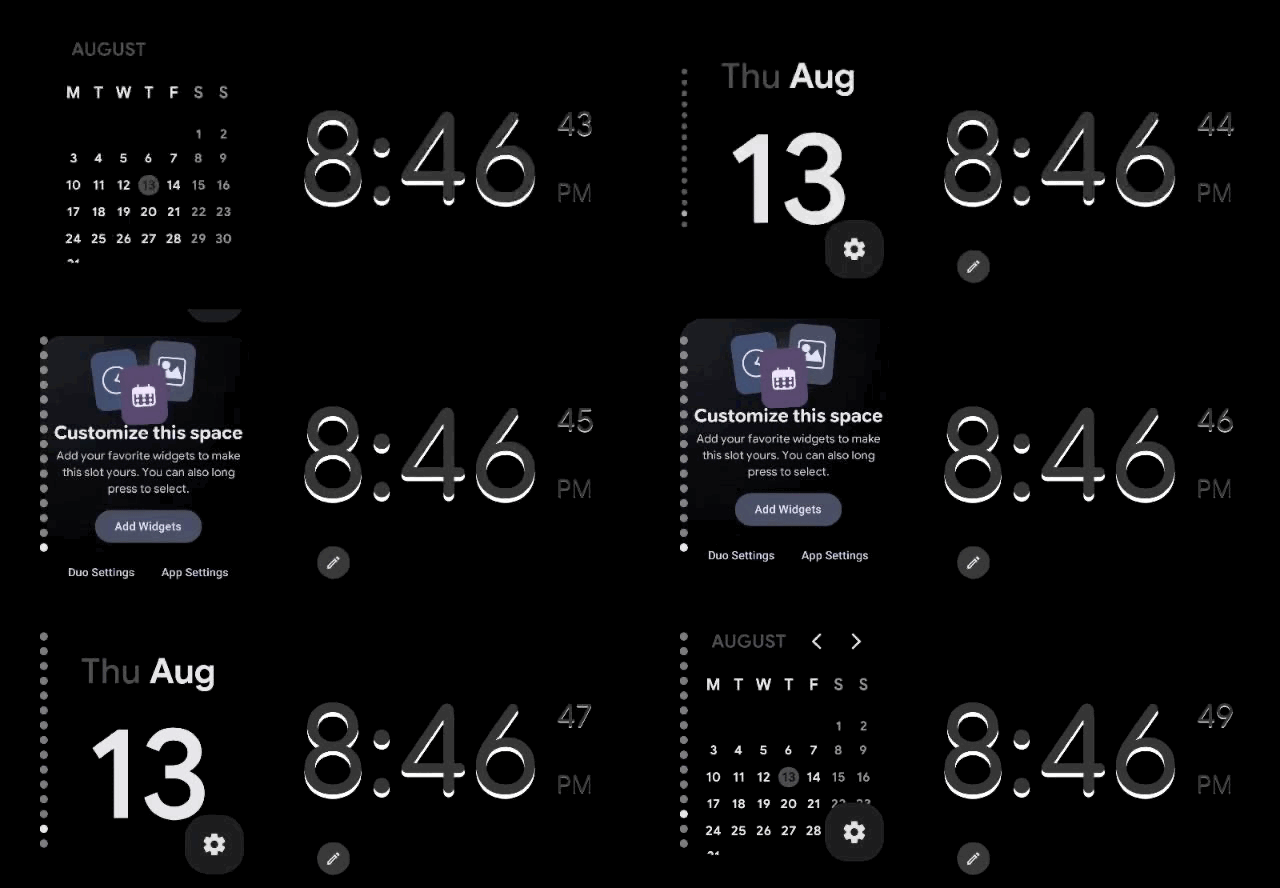
Pair it with the player and you get a music display that still tells the time. Pair it with your calendar and it becomes a desk clock that shows what's next. Pair it with a battery widget and you can read the charge from across the room.
Long-press the screen to open customization, tap the + button on the top-left, then pick the AMOLED Clock from the list. To change how it looks, tap the gear icon on the bottom-right corner to access the widget settings.
If you're using it by the bed, try turning on Night Mode. It adds a red tint after dark that's much kinder to your eyes.
Yes. It's free for everyone, with no Premium unlock needed. If you're new here, StandBy Mode turns any charging Android phone or tablet into a smart display. It's free to download, runs on Android 7.0 and newer, and the AMOLED Clock is one of 100+ clock faces inside.
Thanks to everyone who asked for this one. Got an idea for a clock face you'd like to see next? Post it on UserJot and upvote what's already there. That's genuinely how most of these get built. And any questions about the app? Talk to me, right inside the app or at support@zetabitapps.com.
That's all for today. Take care!

Carol here! I manage Support and Marketing in the StandBy Mode App for more than a year now. I love talking about the app with people, because I enjoy tech, experiments and I've watched the app grow since the begining, back when Wesley (our dev/founder) and I were just friends (now we're also neighbours, gymbros and co-workers). Feel free to talk to me about the app or maybe some tips on what to do if you come to Brazil 🇧🇷



