
Carol Azevedo
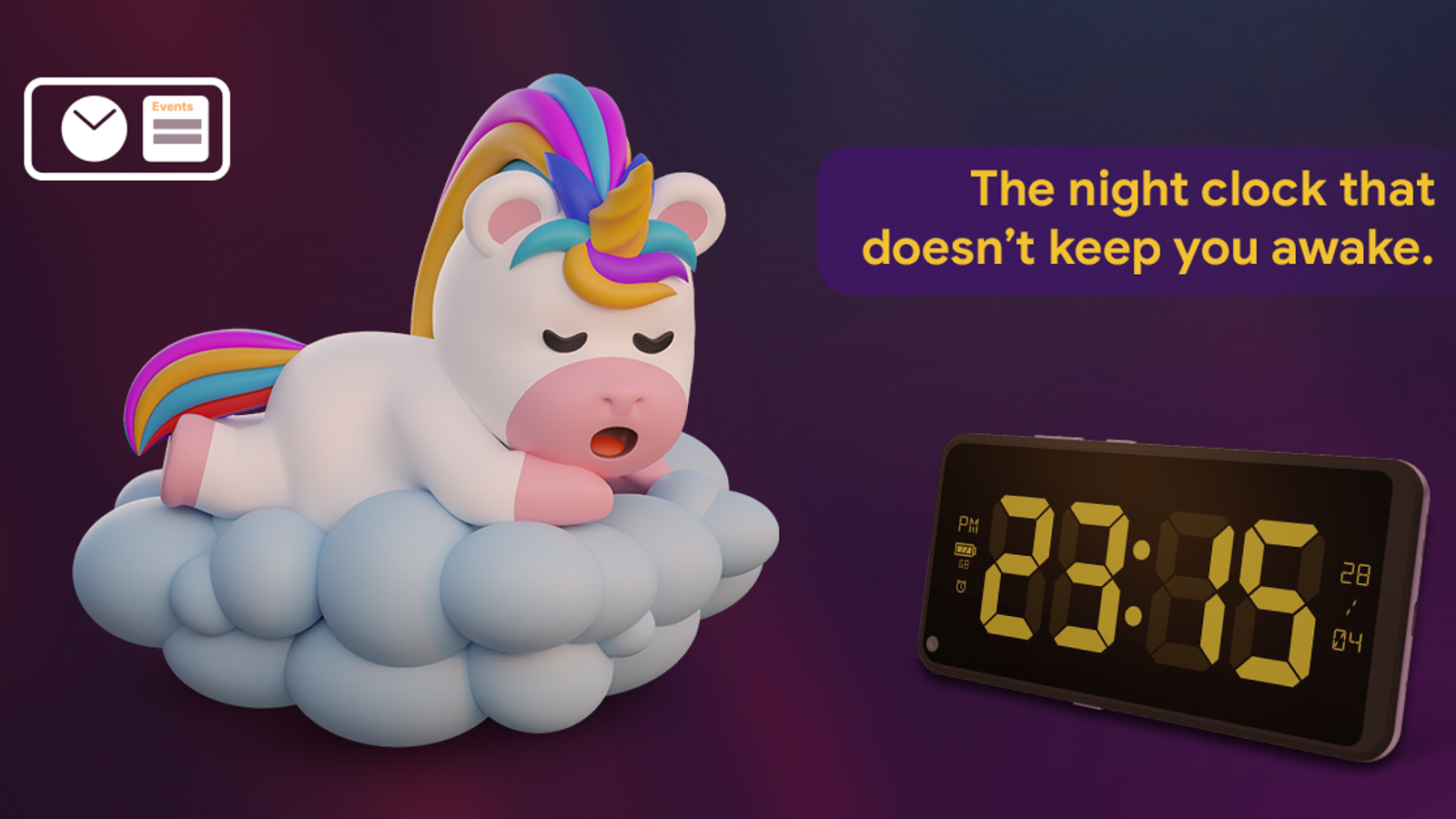
Turn a charging phone into a dim, nightstand clock. Set up Night Mode manually, automatically, or on a schedule. Try it now.
Charging your phone at night shouldn't mean a screen blasting white light two feet from your face. That's exactly what Night Mode fixes.
By the end of this guide you'll know how to turn Night Mode on, pick the way it activates, and customize the tint so it looks exactly how you want on your nightstand.
Let's start from the beginning: install StandBy Mode from the Play Store and pick a clock. Then check the Night Mode options in Settings (swipe all the way to the left). Simple as that.
StandBy Mode's Night Mode dims the display and swaps it to a red tint after dark (you can change the color), so your phone works as a comfortable bedside clock instead of a light source. You can trigger it manually, let it react to the room's light level, or put it on a schedule.
Night Mode has three activation modes. Pick the one that matches how you actually use your phone at night.
(All three are in the same Night Mode settings screen, so you can switch between them whenever your routine changes.)
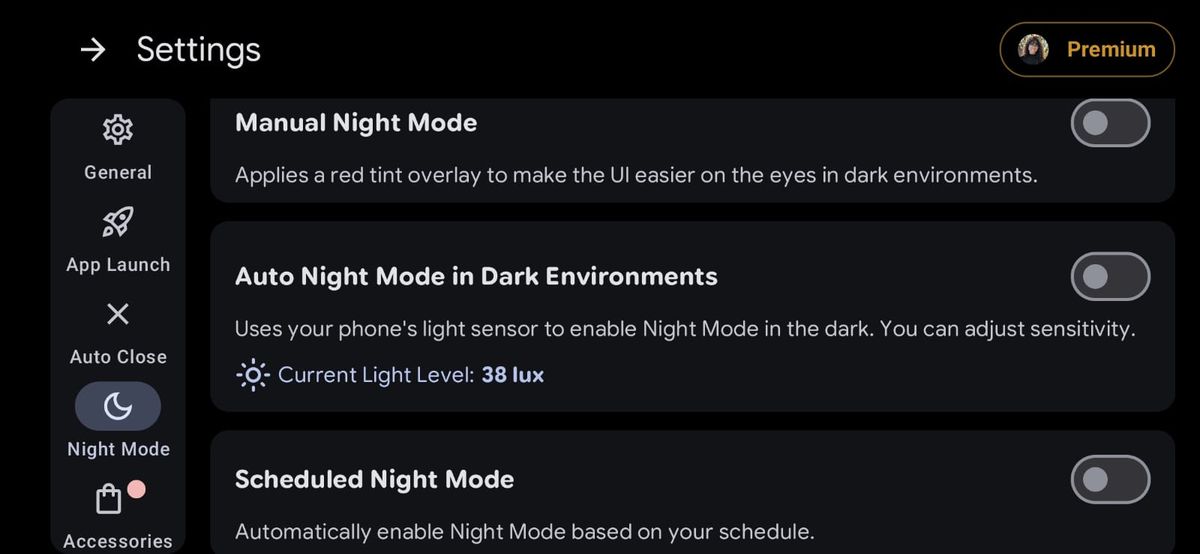
Night Mode doesn't have to be one fixed look. You can tune it until it's genuinely easy on your eyes.
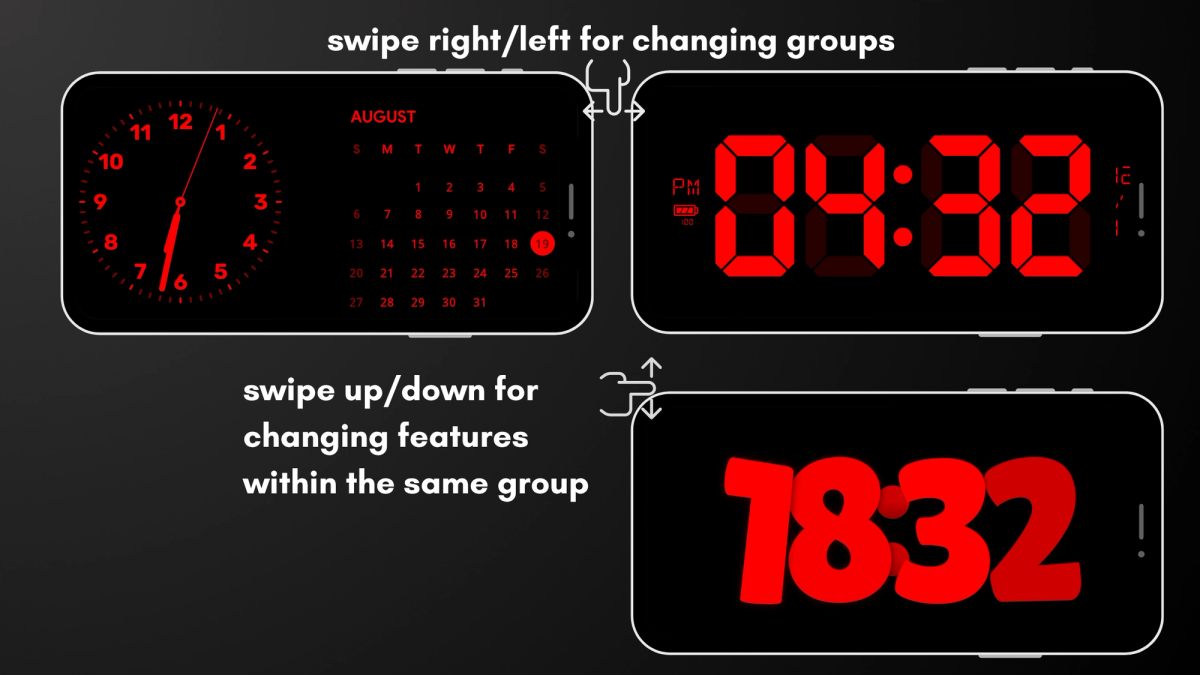
Once Night Mode is set up, you'll probably want to change what's actually showing on the screen, whether that's a different clock face for the nightstand or a quick look at tomorrow's calendar. StandBy Mode uses simple swipe gestures for that:
For more tricks and info about the app's features, check out the full tutorial:
No. Night Mode is built to keep power use low, since a dim red display with reduced brightness draws far less than a bright, full-color one. It's meant to sit there all night while your phone charges anyway.
Yes. Manual Night Mode works fine as a one-tap bedside clock if you don't want automation. Turn it on before bed and off in the morning, or switch to Auto or Scheduled once you're ready to stop thinking about it.
Night Mode and Burn-in Protection are two separate settings, but they work well together on a phone that sits charging all night. Read more in Does StandBy Mode Cause Screen Burn-In?.
Hey, it's Carol here. I manage StandBy Mode's socials and support. If Night Mode isn't looking right on your device, e-mail me at support@zetabitapps.com or drop a comment, I'll sort it out. Got an idea for how Night Mode should work? Post it on UserJot, the roadmap is community-voted.
For the full setup guide from scratch, check out StandBy Mode on Android.
Give your charging phone a job, even after the lights go out.
Get StandBy Mode on Google Play
Questions? Ask Carol in the app or at support@zetabitapps.com.

Carol here! I manage Support and Marketing in the StandBy Mode App for more than a year now. I love talking about the app with people, because I enjoy tech, experiments and I've watched the app grow since the begining, back when Wesley (our dev/founder) and I were just friends (now we're also neighbours, gymbros and co-workers). Feel free to talk to me about the app or maybe some tips on what to do if you come to Brazil 🇧🇷



