

Karine Honma
See how StandBy Mode shows live weather on your Android charging screen with customizable layouts and location settings.
A charging phone spends most of its time doing just one thing: nothing. StandBy Mode turns that idle moment into something useful: with Smart Weather Clocks, the forecast stays visible at all times, without opening another app, right where you already check the time.
Beyond Weather, it also includes clocks, photos, a music player, productivity tools, and several other features that personalize your phone or tablet and make better use of your time.
If you want to understand the Smart Weather Clocks feature in more detail, keep reading.
Yes. StandBy Mode's Smart Weather Clocks puts real-time weather right on the charging screen, in three different fullscreen layouts, combined with the clock — not as a separate app.
The feature lives in its own category inside the app, called Weather, alongside Duo, Photos, Tools, Player, and Relax. In all three layouts, time and weather share the same screen, so there's no need to switch between a clock and a separate forecast widget.
All three layouts carry the same set of data, arranged differently: city name, current condition (for example, “passing light rain”), a prominent temperature, chance of rain, high and low temperatures, and sunrise and sunset times.
One of the three layouts goes further and adds an hour-by-hour forecast, with an icon and projected temperature for the next few hours of the day.
The panel updates on its own, without needing to reopen the app or tap the screen, and the data comes from WeatherAPI.com, an attribution that appears directly on screen.
Each layout arranges the same set of data differently:
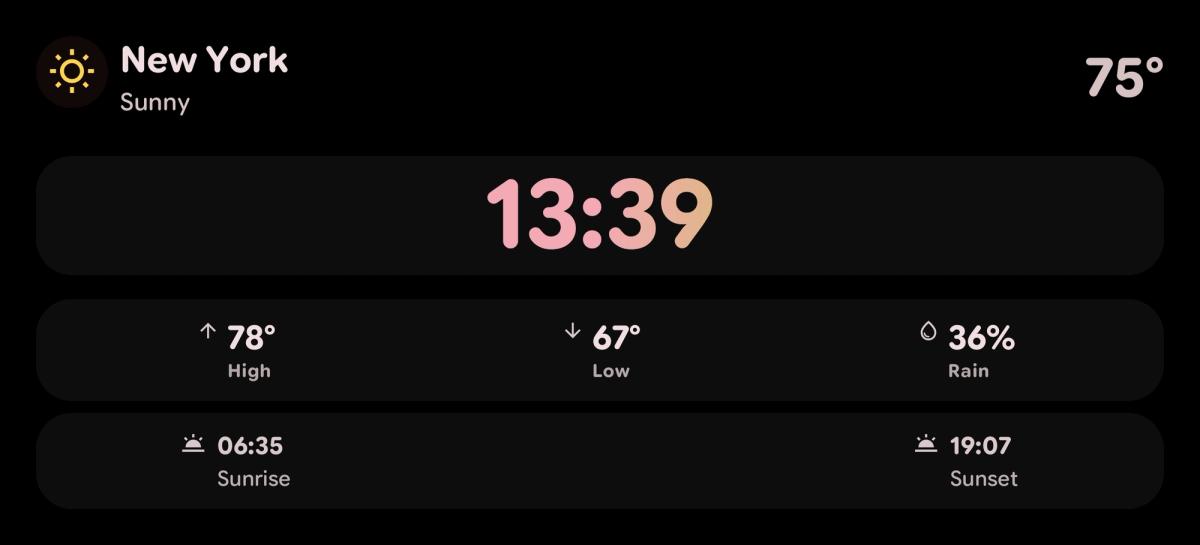
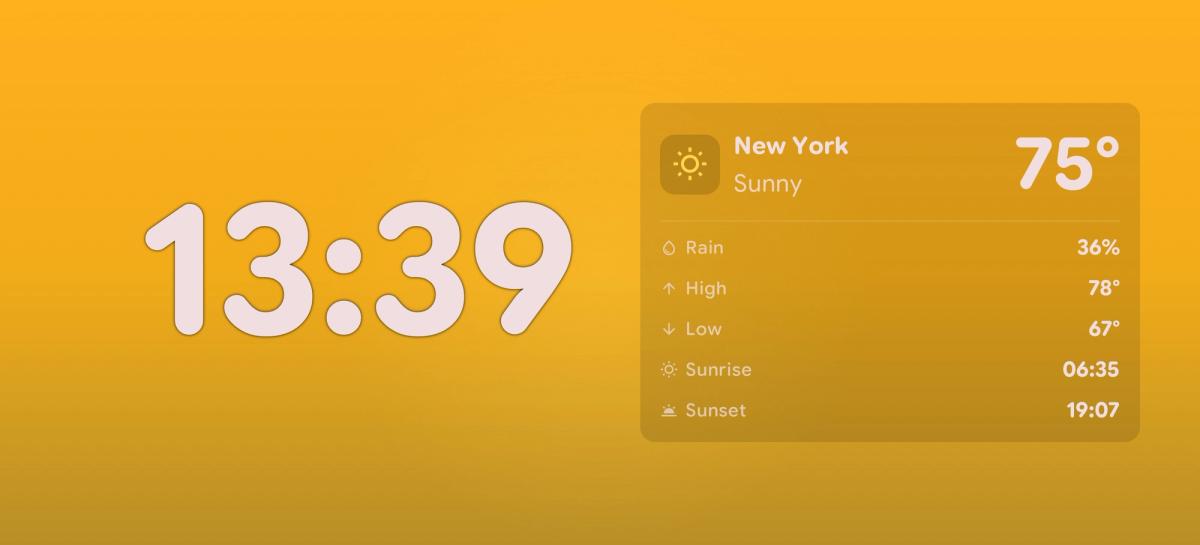
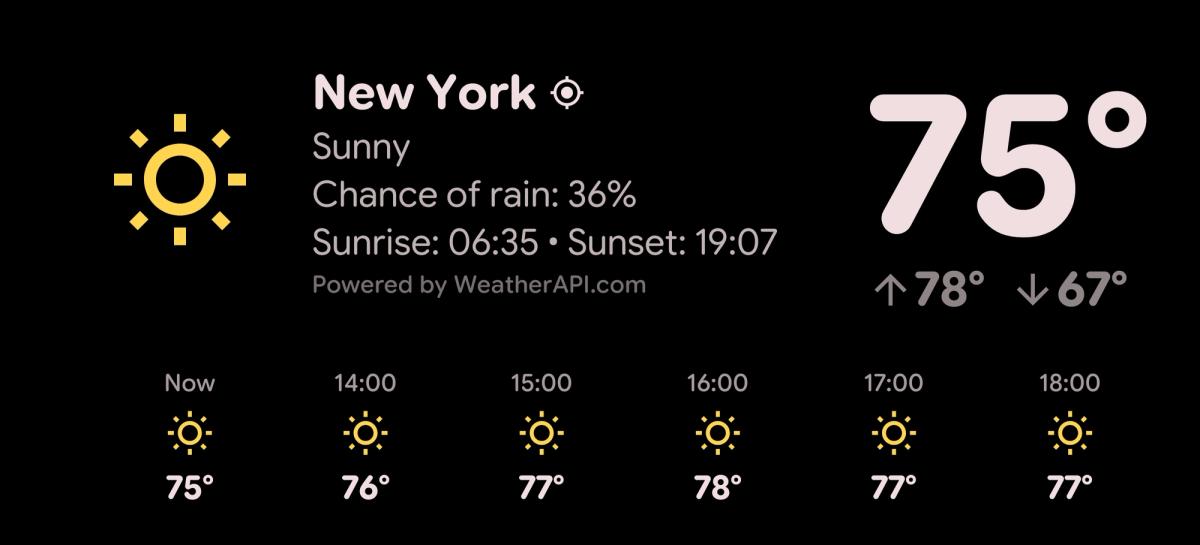
Tapping the bottom-right corner of the screen on any of the three opens a settings panel to customize further the chosen layout, including the temperature unit shown.
The three fullscreen weather layouts are Premium. Weather combined with another widget inside Duo mode, however, is free for every user.
Premium still unlocks the rest of the app, like advanced clocks, the Widget Rotator, and Command Center. A lifetime purchase doesn't include a free trial, while the annual subscription comes with a 3-day free trial. Either way, refunds are available up to 7 days after payment.
Only for automatic location. If you'd rather not grant it, or run into issues with automatic location, you can switch to manual location instead, from the same settings panel.
This applies to all three weather layouts. To switch, tap the gear icon in the bottom-right corner of the widget and enter your location directly — no permission required.
Yes. Besides automatic location, you can set the location manually by typing in the place you want directly in the widget's settings.
That's useful for keeping an eye on the weather in another city — a family member's, or an upcoming trip — without depending on where the device is physically charging.
It does, with one important caveat: without a connection at that moment, the panel shows the last weather data it downloaded, not a live, updated forecast. Once the connection comes back, the app resumes fetching fresh data from WeatherAPI.com.
In other words, the clock is never left with no information at all — it can only be temporarily out of date until the next sync.
Yes. Weather also works inside Duo mode, splitting the screen with another widget — a clock, a calendar, the music player, or any third-party widget installed on the device.
If you already use Duo mode, or want to see how the split-screen setup works in detail, check out our Duo layout guide.
Open StandBy Mode Pro and go to the Weather category among the layout options.
Pick one of the three weather styles, swiping through to preview them.
Tap the bottom-right corner of the screen to open the settings panel and adjust the layout, location, or temperature unit.
Grant location permission when prompted, if you're using automatic location instead of manual.
A simple clock on your device is useful, but an app with features that keep working while it charges — so you don't have to lift a finger to check the weather, the time, and more — is even better.

My work moves between two great passions: Content Marketing and Copywriting. I’m driven by a constant desire to keep learning and by honesty in everything I do. I’m passionate about discovering the power of words and well-crafted content. I’ve collaborated with agile startups and agencies with large client portfolios. Each experience has brought me new learnings, new challenges, and a lot of satisfaction — and coffee ☕. Here you’ll get to follow a bit of my professional journey. But if you want to know who I really am — the creative, curious, and restless Karine — let’s grab a coffee, online or in person.
