
Karine Honma
Yoga mode, new in StandBy Mode Pro, puts any Duo widget on your whole screen. See how to set it up and which widgets make the best screensaver.
StandBy Mode Pro is an Android app that turns your phone into a smart display while it charges.
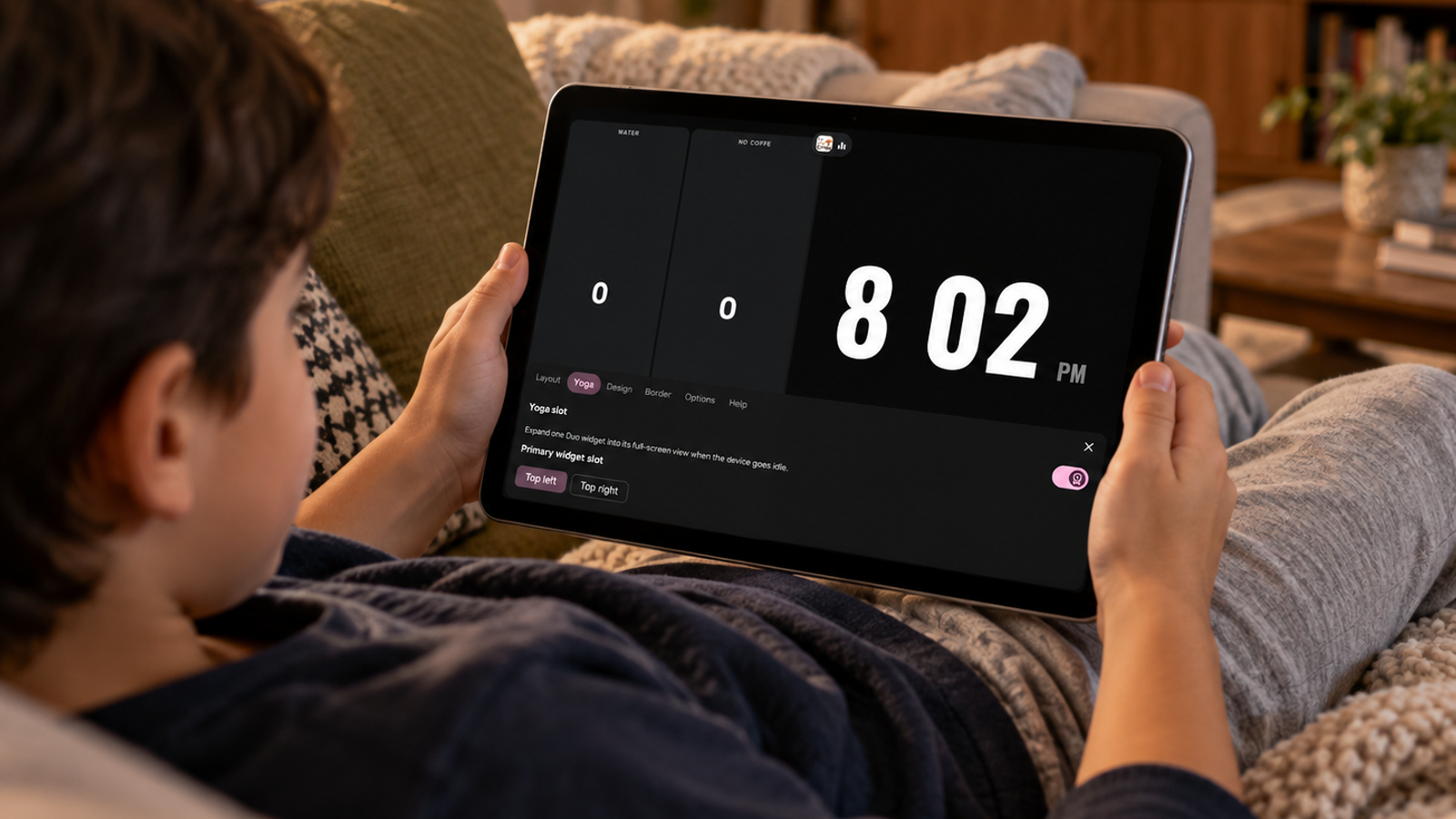
Yoga mode is the newest feature in StandBy Mode Pro. It takes one Duo widget and shows it on its own, across the whole screen, so your favorite widget becomes a screensaver. Yoga mode is part of Premium.
Until now, fullscreen had its own catalog, and plenty of Duo widgets weren’t in it. If you wanted Pixel Art Clock Duo or your calendar dashboard big enough to read from bed, there was no way to do it. Yoga mode closes that gap.
StandBy Mode Pro now has three ways to fill the screen. They differ in how many widgets you see and which catalog those widgets come from.
In Duo, each side scrolls down to more widgets, and the Duo layout decides what sits where. Fullscreen widgets are designed for the whole display from the start. Yoga sits between them, with Duo’s range of widgets at Fullscreen’s size.
Yoga mode is set from the Duo Settings. You’ll need StandBy Mode Pro Premium to turn it on.
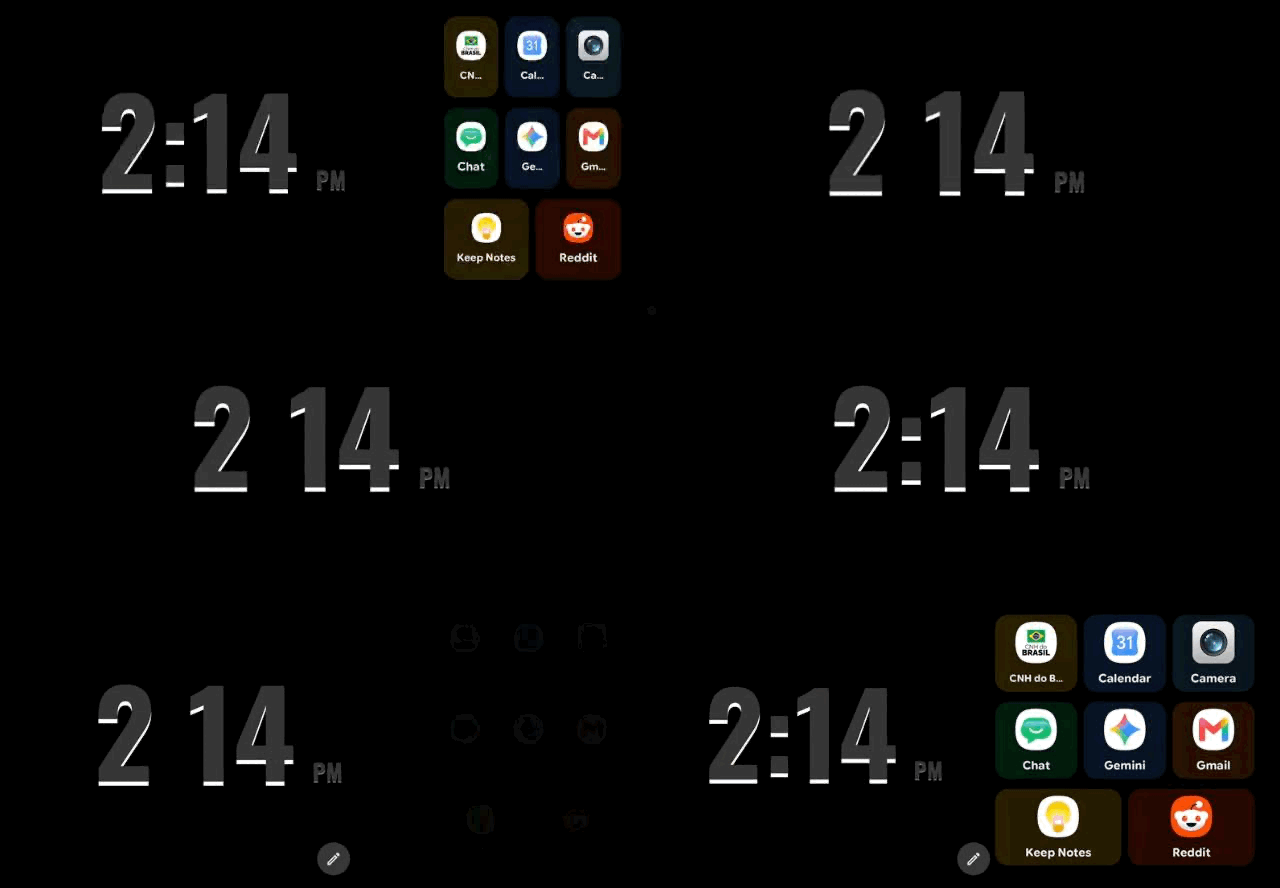
Once the Yoga Slot is on, you use Duo as usual. When the phone goes idle, after about 3 seconds without a touch, the side you picked takes over the whole screen. Tap the screen and the regular Duo layout comes back.
The slot is tied to the side, not to a specific widget. Swap the widget on that side, or move to another Duo combination, and Yoga mode enlarges whatever is there, as long as you’re in Duo.
That makes it a good middle ground. Everything you set up in Duo stays one tap away, and when you’re not using it, the screen shows a single widget with nothing else competing for your attention.
A widget built to share half the screen changes once it has all of it. Small details get room, and text you’d squint at in a panel becomes readable from bed. These are the ones we’d start with.
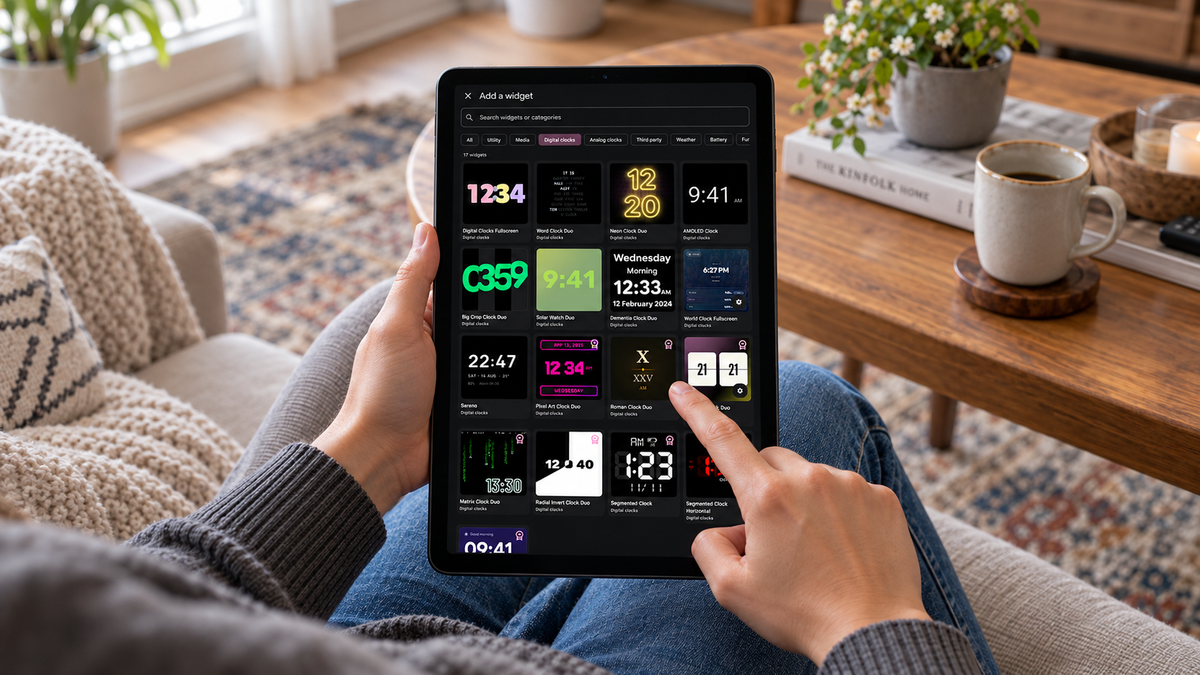
Every clock in the Digital clocks and Analog clocks categories works fullscreen, from Word Clock Duo and Neon Clock Duo to Sereno, Matrix Clock Duo and Roman Clock Duo. The detailed designs gain the most. Word Clock Duo, for instance, spells out the time in a grid of small words, and fullscreen gives each word room.
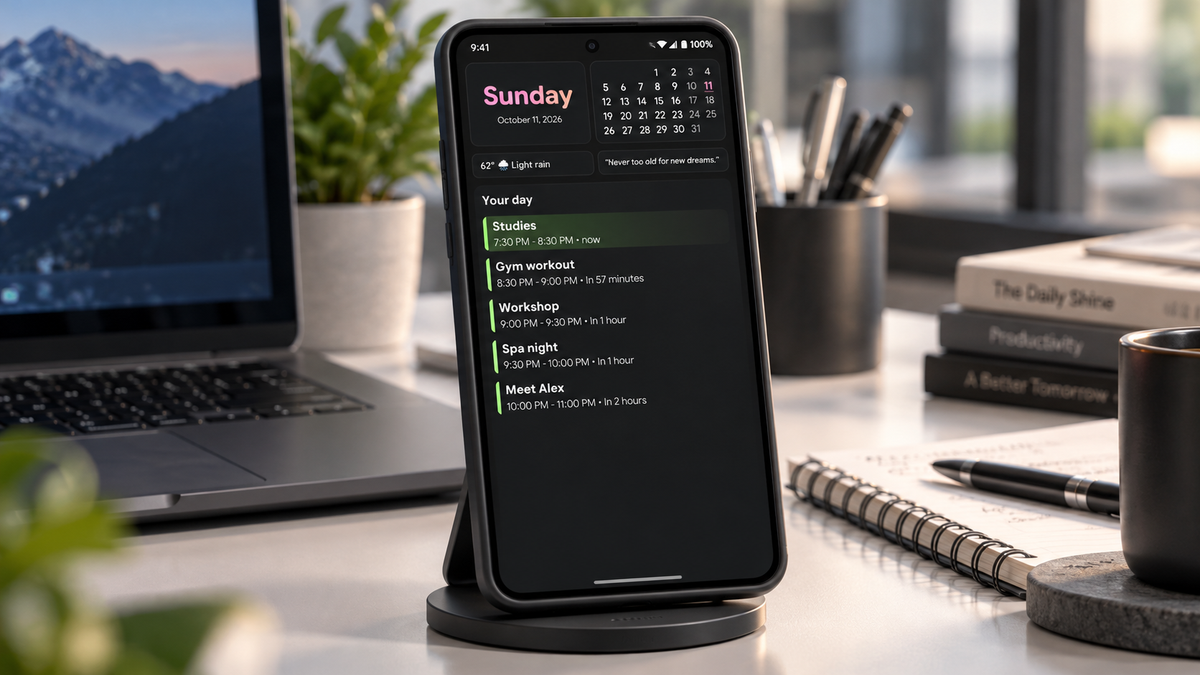
Your whole day on one screen. The weekday and date sit at the top next to a monthly calendar, followed by the weather and a quote. Below them, “Your day” lists your events in order, with each one’s time and how long until it starts. The event happening now is highlighted. With the whole screen to itself, the list has room for more of your day.
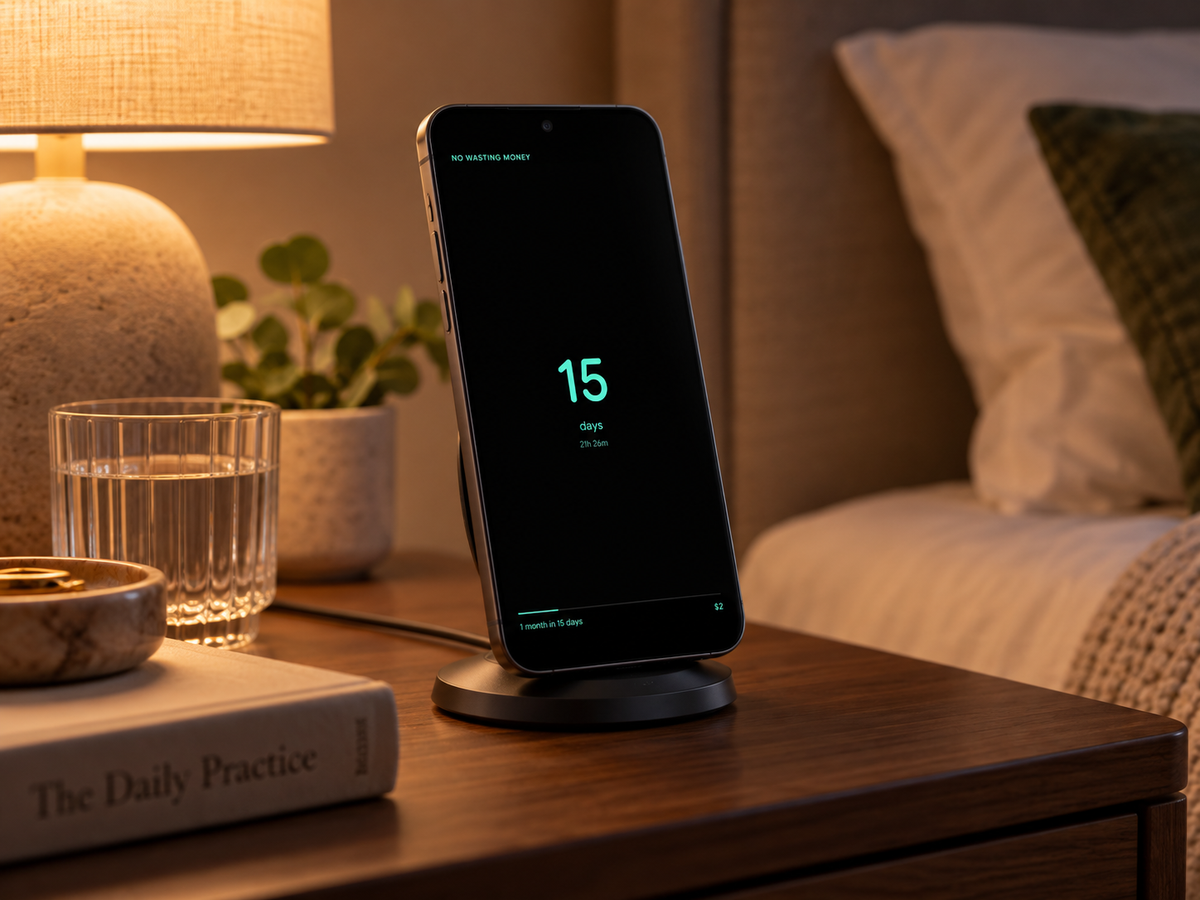
A day counter for any goal you want to keep, like staying sober or not wasting money. The number of days sits large in the center, with hours and minutes below, and a progress bar shows how close you are to the next milestone.
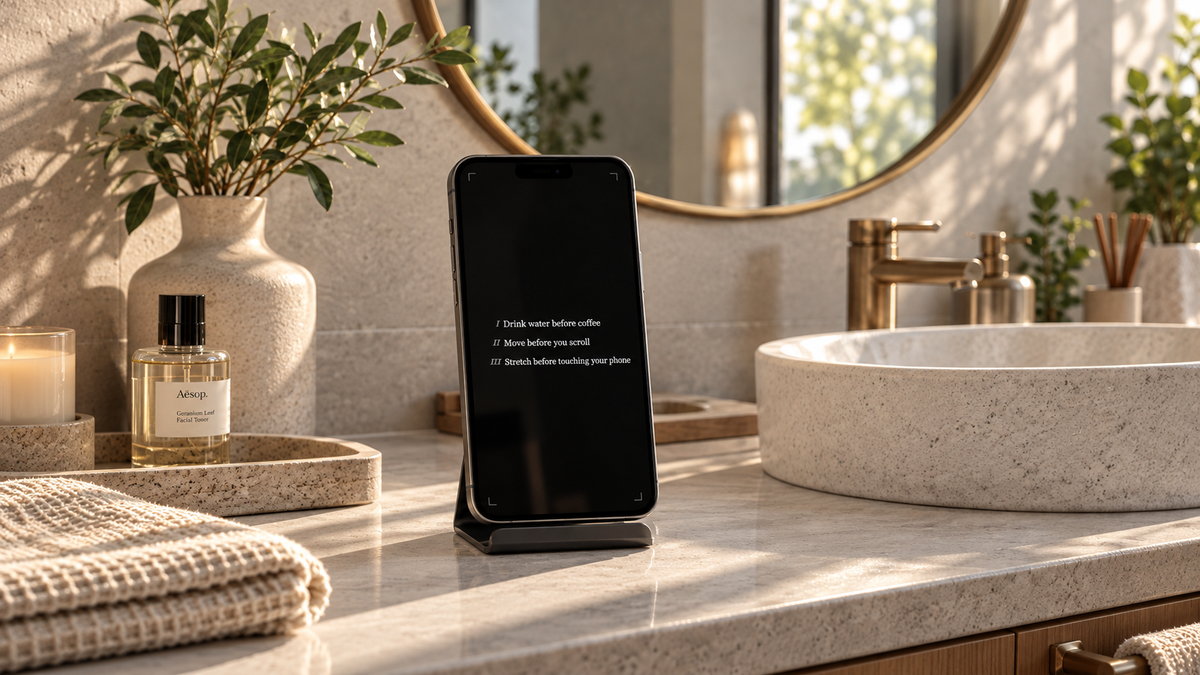
Your own rules for the day, numbered in Roman numerals in a serif font on a black background: “Drink water before coffee”, “Move before you scroll”. You write them yourself, as many as you want. On a desk during the workday, at full size, it keeps the list where you can’t ignore it.
Widgets from other apps work in Yoga mode too. If you already use third-party widgets in Duo, like Spotify or a KWGT layout, they can fill the whole screen as well.
One widget on screen for eight hours is the situation burn-in warnings are about. Two settings take care of it.
Advanced Burn-in Protection, in the app’s settings, shifts pixels in a subtle pattern every minute. That’s how StandBy Mode Pro avoids burn-in, even with the same widget on until morning.
Night Mode adds a dim red tint after a set time, so a bright weather widget won’t light up the bedroom. You can set up Night Mode to turn on automatically.
Yoga mode just landed in the app. Some widgets may not fit the full screen perfectly yet, and some phones may show behavior we haven’t seen in testing.
If you find a bug, report it on UserJot. Include your phone model, Android version and the widget you were using in Yoga mode, so the team can reproduce the problem. Suggestions go there too. Most of the app’s screens started as one.
Turn your phone into a smart display while it charges.

My work moves between two great passions: Content Marketing and Copywriting. I’m driven by a constant desire to keep learning and by honesty in everything I do. I’m passionate about discovering the power of words and well-crafted content. I’ve collaborated with agile startups and agencies with large client portfolios. Each experience has brought me new learnings, new challenges, and a lot of satisfaction — and coffee ☕. Here you’ll get to follow a bit of my professional journey. But if you want to know who I really am — the creative, curious, and restless Karine — let’s grab a coffee, online or in person.
