
Karine Honma
Flip clock app for Android with retro-style flipping-digit animation. Works in Fullscreen or Duo mode. Try it free in StandBy Mode.
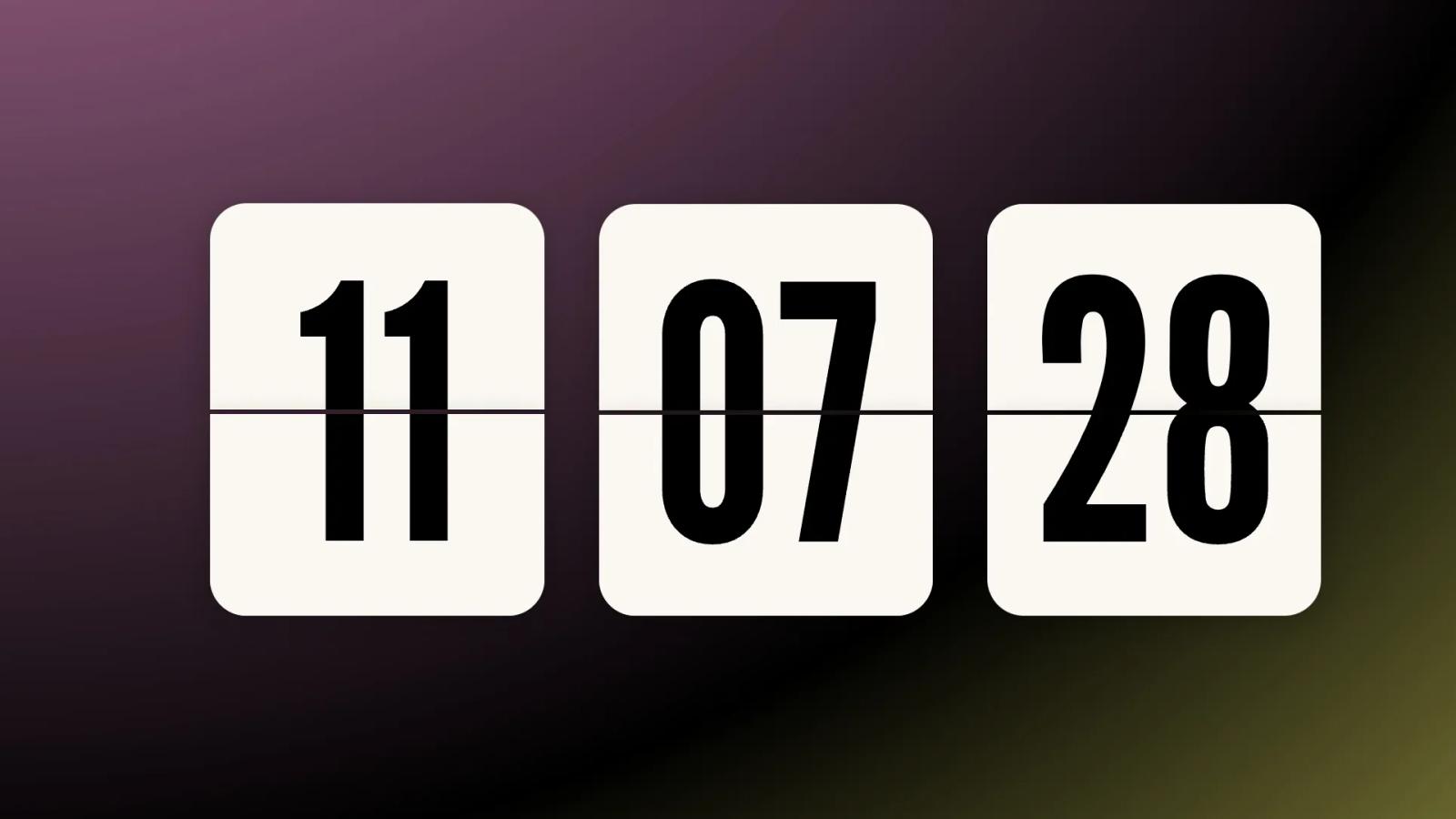
Most Android clock apps borrow the same flat digital look. The Retroflip Clock does something different: every minute, the numbers flip like an old split-flap display, with a soft mechanical motion instead of an instant jump.
It is one of the fullscreen clock styles inside StandBy Mode, and it also runs inside Duo, next to a second widget. Either way, it turns a charging phone or tablet into something closer to a real desk clock than a screen.
StandBy Mode is an Android app that turns a charging phone or tablet into a smart display. It started in 2023, right after iOS 17 StandBy launched, and it has grown a long way past a single clock since then.
This piece covers what the Retroflip Clock looks like, what you can customize, the difference between the fullscreen and Duo versions, and how to set it up as a flip clock app on Android.
Yes. Android does not ship with a flip clock built into the system, but StandBy Mode adds one: the Retroflip Clock, free to install from Google Play.
Flip clocks, also called split-flap displays, go back to office and station clocks from the mid-20th century. A physical card flips down to reveal the next digit, with a small mechanical clack. The Retroflip Clock rebuilds that motion digitally, without an actual moving part in sight.
It works as a fullscreen charging display, and as a compact widget inside Duo, so the same retro digit-flip animation fits a nightstand setup or a two-widget dashboard.
Bold, oversized digits sit on their own dark card, split by a thin line down the middle, the way a real split-flap panel is built. When the minute changes, the old digit's top half and the new digit's bottom half flip into place.
A few things about it are yours to adjust:
• Style: StandBy Mode's clock faces run into hundreds of customization combinations between them, and Retroflip has its own set of visual variations to pick from
• Seconds: show them ticking alongside the minutes, or hide them for a calmer, slower-changing screen
• Background: keep the card faces plain, or let a background show through behind them
Because every flip is animated rather than instant, the clock reads well from across a room, which is part of why it works as a desk or nightstand piece and not just a lock screen accent.
If the retro look isn't quite your style, the AMOLED Clock is a similar single-color option built specifically for OLED screens.
Fullscreen puts the Retroflip Clock on its own, taking the entire screen the same way any other clock face in StandBy Mode would. It's the pick for a dedicated nightstand or desk display.
Duo splits the screen between two widgets, with Retroflip running as a smaller retro flip clock widget on one side. Pair it with a calendar, the music player, World Clock, or any third-party widget on the other. The animation and customization options carry over, just inside a smaller panel.
Neither version is more "complete" than the other. Fullscreen is about the clock alone; Duo is about pairing it with something you also want visible at a glance.
Yes. Retroflip is one of StandBy Mode's core clock styles, included in the free download from Google Play.
StandBy Mode's Premium unlock exists for other screens, extra customization, and to remove ads. It's not a gate on this clock.
Yes. StandBy Mode runs on Android phones and tablets alike, on Android 7.0 and newer, and the larger canvas suits a flip clock's oversized digits especially well. Android 12 and newer unlocks every visual effect in the app, so a tablet on an older build may show a simpler version of the flip animation.
Install StandBy Mode. It's free on Google Play.
Open the app and swipe through the fullscreen clock styles until you reach Retroflip. For Duo, long-press the screen to open customization, tap the "+" button, and pick the Retroflip Clock for one of the two panels.
Tap the gear icon to adjust style, toggle seconds on or off, and choose whether the background shows through.
Plugging your phone in from here is enough to bring the clock up automatically, the same way any other StandBy Mode screen does once it's set as your default.
Running this on a nightstand overnight? Our guide on Night Mode covers dimming the screen automatically after dark, and our post on screen burn-in explains how StandBy Mode keeps OLED panels safe during long charging sessions.
A flip clock is one of those designs that never really needed reinventing. It just needed to survive the move from mechanical cards to a screen without losing what made it satisfying to watch. The Retroflip Clock is that move.
Free to set up, ready on any charging phone or tablet, and unlike the actual vintage clocks it borrows from, nothing to ever repair.
Want something added to it? Drop it on UserJot and vote on what others have suggested! That's how most of this app got built.

My work moves between two great passions: Content Marketing and Copywriting. I’m driven by a constant desire to keep learning and by honesty in everything I do. I’m passionate about discovering the power of words and well-crafted content. I’ve collaborated with agile startups and agencies with large client portfolios. Each experience has brought me new learnings, new challenges, and a lot of satisfaction — and coffee ☕. Here you’ll get to follow a bit of my professional journey. But if you want to know who I really am — the creative, curious, and restless Karine — let’s grab a coffee, online or in person.



