
Carol Azevedo
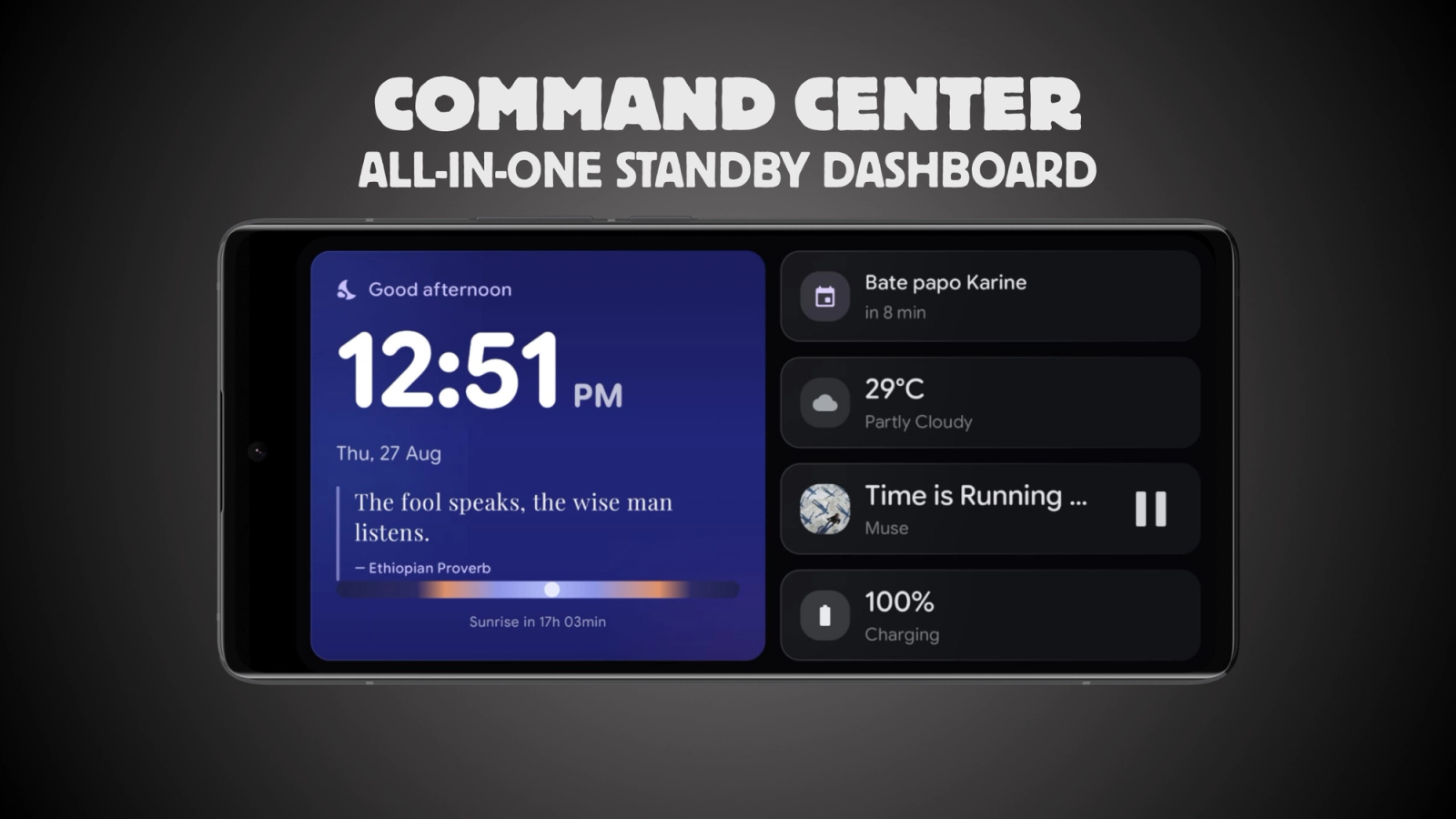
Clock, weather, agenda, audio and battery in one StandBy Mode dashboard. Promote any tile to hero size and keep the rest a glance away. Check out the Command Center.
Most widgets do one thing well. Command Center does five at once: clock, weather, agenda, audio and battery, arranged as a single dashboard with one large hero module and the rest as compact tiles around it.
StandBy Mode is an Android app that turns a charging phone or tablet into a smart display, and this is the widget for people who want the whole morning on one screen.
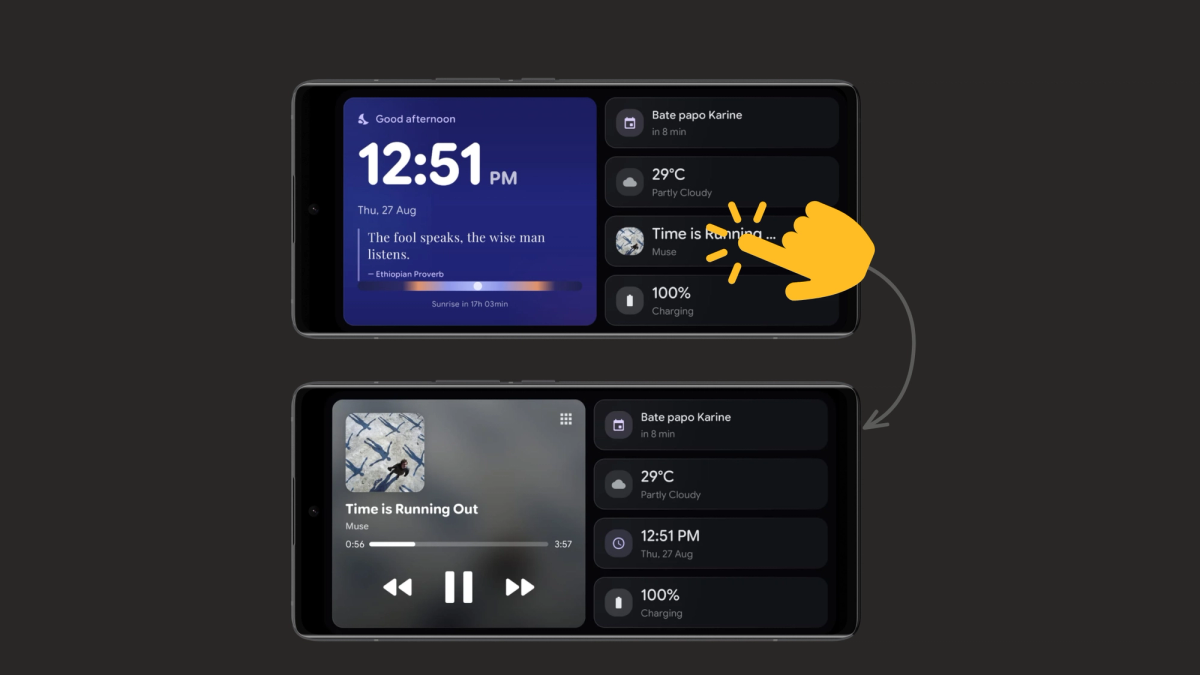
Here's the dashboard in action:
Any tile can become the hero. Tap a small tile and it takes over as the main focus, the layout rearranges around it, and your choice is remembered next time. Keep Weather large on a stormy morning, promote Agenda on a packed day, or let Audio take over during a listening session.
The dashboard greets you by time of day, shows an hourly weather strip, counts down to your next calendar event and gives you playback controls without leaving the screen.
A single toggle, "AMOLED black when idle", switches the idle state to a true black background, so an OLED screen lights only the pixels that carry information. Leave it off and idle keeps a gently dimmed version of the dashboard instead. For the longer answer on leaving a screen on all night, read
about our burn-in protection strategies.
Being a dashboard has trade-offs, and they are worth knowing before you set it as your main screen. Command Center does not take complications in the top corners, the floating Mini Player does not appear over it, and it cannot run inside the Android screensaver (Dream) because it pulls live weather and calendar data. Everything it would show in those slots is already a tile on the dashboard.
New to the app? Our guide to StandBy Mode on Android walks through the setup, where to put the device and how to start it automatically on charge.
See your whole morning at one glance. Download StandBy Mode free on Google Play and set Command Center as your dock screen.
Questions go to me, Carol, in the app or at support@zetabitapps.com. Want another module on the dashboard? Ask for it on UserJot, the roadmap is voted by the community.

Carol here! I manage Support and Marketing in the StandBy Mode App for more than a year now. I love talking about the app with people, because I enjoy tech, experiments and I've watched the app grow since the begining, back when Wesley (our dev/founder) and I were just friends (now we're also neighbours, gymbros and co-workers). Feel free to talk to me about the app or maybe some tips on what to do if you come to Brazil 🇧🇷



